Standing Desk Tips for Better Posture and Productivity?
A Standing Desk can be a game changer for both posture and productivity. With more people working from home, these desks are becoming popular. They promise better health and focus. But many users fail to adjust properly. This can lead to discomfort and fatigue. It’s important to remember that just having a Standing Desk isn’t enough.
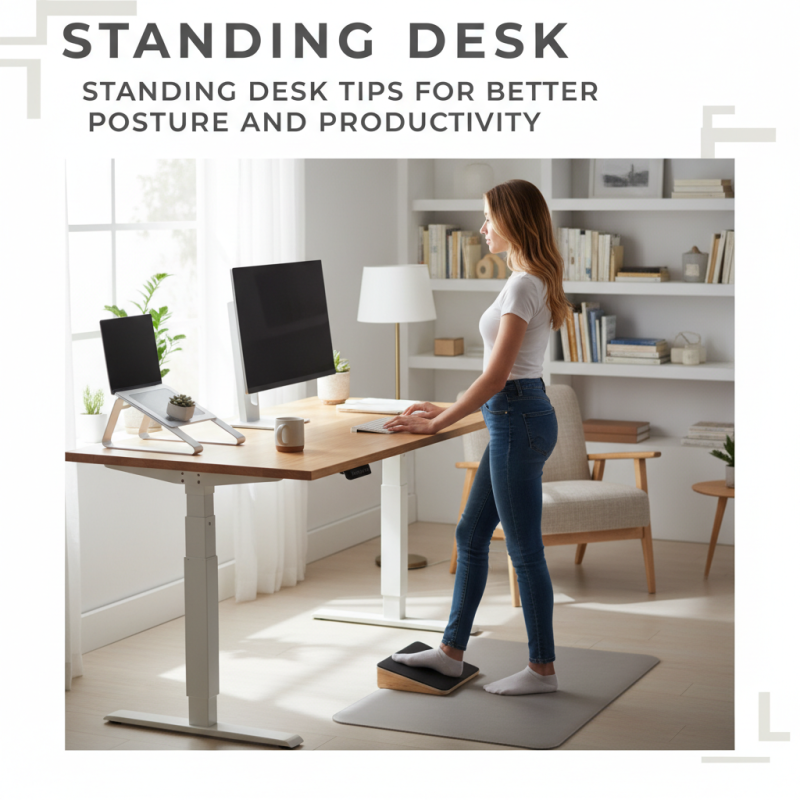
Choosing the right height is crucial. If it’s too high or too low, you may strain your back and shoulders. Foot placement matters too. Try using a footrest to shift your weight. Small changes can make a big difference. Balance is key; standing all day isn’t ideal either.
Finding the right rhythm takes time. Listen to your body’s signals. Sometimes, standing may cause more stress than sitting. Aim for a mix of both. Regular breaks are essential. Without them, productivity can drop. Reflect on your habits and make adjustments to optimize your use of a Standing Desk.
Benefits of Using a Standing Desk for Posture Improvement
Using a standing desk can significantly improve your posture. When you stand, your spine is more aligned. This reduces the risk of back pain. Many people slouch when sitting for long hours. A standing desk encourages better alignment and engages your core muscles. This can enhance your overall health.
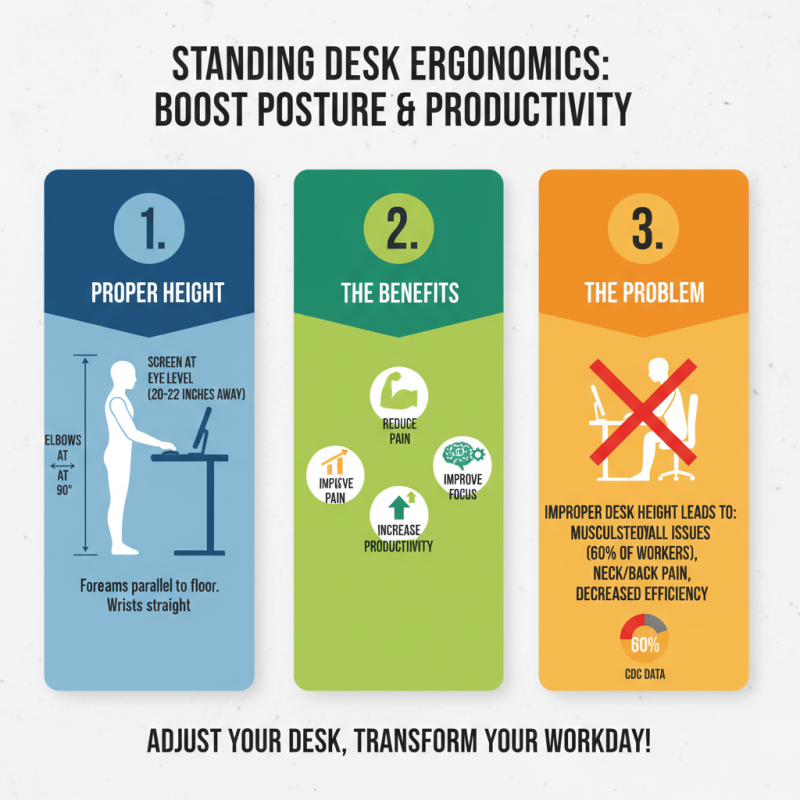
To maximize the benefits, consider adjusting your desk height. Your wrists should be straight while typing. Keep your screens at eye level. These small changes matter. It’s also essential to shift your weight from one foot to another. Standing for too long can lead to fatigue. Listen to your body and change positions regularly.
Remember, transitioning to a standing desk is not always easy. Some may initially feel discomfort during long hours. It's a learning process. Incorporate short breaks to walk or stretch. Check in on your posture every hour. Reflect on how you feel. Small adjustments can lead to significant improvements.
Benefits of Using a Standing Desk for Posture Improvement
Essential Ergonomic Features of an Effective Standing Desk
When considering a standing desk, it’s crucial to focus on ergonomic features. An effective standing desk should allow for proper height adjustment. Research shows that adjusting desk height can reduce back pain by up to 54%. Many setups, however, lack this feature, forcing users to compromise their posture.
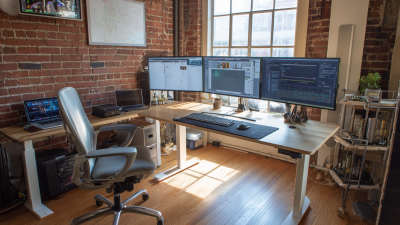
A desk that tilts can also promote better ergonomics. Studies indicate that a slight tilt can improve circulation. Yet, not all standing desks include this option. Without it, individuals may experience discomfort after long hours. The arrangement of monitors and keyboards plays a role too. A desk that accommodates multiple screen heights can help maintain neck alignment. Ignoring this can result in strain.
Comfort in standing is equally essential. Anti-fatigue mats can enhance stability and support. Yet, many users overlook their importance. Research suggests that these mats can reduce fatigue by half when standing for extended periods. Creating an effective workspace isn't just about standing; it's about the right adjustments that support health and productivity.
Strategies for Maintaining Productivity While Using a Standing Desk
Using a standing desk can boost productivity, but it requires strategy. A study from the American Journal of Preventive Medicine shows that using a standing desk can increase productivity by up to 10%. Still, workers must find the right balance between standing and sitting. Simply standing for long periods can lead to discomfort and fatigue.
Taking short breaks is crucial. Research indicates that moving around every 30 minutes can keep energy levels high. Adjust your desk height to suit your body, allowing for natural posture. Ensure your screen is at eye level. This small adjustment can prevent neck strain.
Additionally, consider foot positioning. Shifting weight from one foot to the other enhances circulation. Using a footrest can alleviate pressure on your feet. Implement these strategies to create an effective standing desk environment. Reflect on your setup regularly; small tweaks can lead to big improvements.
Incorporating Movement and Breaks into Your Standing Desk Routine
Incorporating movement and breaks into your standing desk routine can significantly enhance both posture and productivity. Research indicates that prolonged standing can cause fatigue and discomfort if not balanced with movement. A study highlights that standing for over an hour can lead to decreased blood circulation and muscle stiffness. Therefore, it’s crucial to integrate short breaks to move around.
Aim to stand for 30 minutes, then take a brief walk or stretch for five minutes. This simple approach can drastically improve your energy levels. Industry data points reveal that taking frequent breaks can boost overall productivity by up to 20%. Incorporating dynamic movements, like leg swings or shoulder rolls, helps keep muscles engaged. Regularly changing positions can also reduce the risk of strain injuries over time.
Interestingly, many people struggle to maintain this balance. Some sit back down after standing for a short while. This behavior can hinder the benefits of using a standing desk. It's important to be conscious of your posture while standing. Position your screen at eye level, and keep your shoulders relaxed. Remember, every small adjustment counts toward better health and work efficiency.
Standing Desk Tips for Better Posture and Productivity
| Tip |
Description |
Recommended Duration |
Frequency |
| Adjust Desk Height |
Ensure your desk is at elbow height when standing. |
N/A |
As needed |
| Footwear |
Wear supportive shoes to reduce strain on feet. |
N/A |
Daily |
| Posture Check |
Maintain a neutral spine and relax your shoulders. |
N/A |
Every hour |
| Take Breaks |
Step away from your desk to rest and stretch. |
5-10 minutes |
Every 30-60 minutes |
| Movement Routine |
Incorporate simple exercises while standing. |
Varies |
Hourly |
| Hydration |
Keep water nearby to remind yourself to drink. |
N/A |
Daily |